
The AI coding agent that actually does the work.
Controls browsers, inspects your code, and writes tested software right inside your terminal.
npm install -g @nexor009/skillcode@1.0.0-beta.7
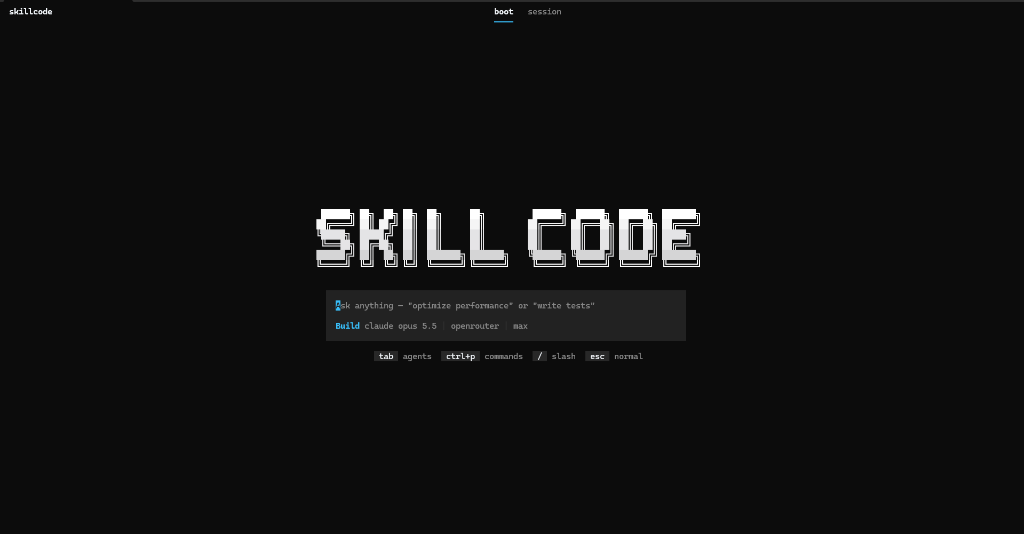
Up and running in seconds.
Three simple steps to start coding with SkillCode in your terminal.
1. Install Globally
Run this command in your terminal to download SkillCode via npm:
npm install -g @nexor009/skillcode@1.0.0-beta.7
npx @nexor009/skillcode@1.0.0-beta.7
2. Open Any Shell
Open Windows PowerShell, Command Prompt (CMD), Git Bash, or your VS Code integrated terminal.
3. Start Coding
Navigate to any project folder and launch the cockpit:
skillcode
Superpowers for your code.
Five smart capabilities built directly into your terminal.
Browser Control
Controls a real browser automatically. Opens web pages, clicks buttons, takes screenshots, and tests your frontend directly from the terminal.
Real-Time Web Search & Docs Fetch
Searches the web before writing outdated code.
Before tackling any question or library task, SkillCode automatically searches live docs and fetches markdown from official sources via Exa/webfetch. No hallucinated APIs or deprecated syntax.
4 Built-in Agents
Splits work across 4 helpers: Build (write code), Plan (think first without touching files), Explore (search code), and Verify (run tests to find bugs).
Smart Code Search & Errors
Understands your entire project structure, finds functions instantly, and catches code errors live before you save.
Instant Undo & Safety
Takes a quick snapshot before changing any file. If an AI change breaks anything, undo it with one click.
Supercharged Core Engine.
Under the hood, SkillCode replaces slow, naive LLM loops with specialized native tools built for raw terminal speed and zero-breakage safety.
Deep Drive & Recency Scanner
Multi-tier OS-level scanner that finds deeply buried files and downloads in milliseconds. Understands natural queries like 'latest downloads' and automatically ranks the freshest file #1 to eliminate duplicate-file edits.
Sandboxed JavaScript Orchestrator
Executes complex tool chains in a single turn. SkillCode writes and runs sandboxed JavaScript using Promise.all() across multiple MCP tools instead of burning tokens across dozens of slow roundtrips.
Live DOM & Accessibility Automation
Inspects your web app via indexed accessibility trees, clicks elements, types input, captures screenshots, and tests live frontends using your existing Chrome or Edge installation.
Whole-Project Architectural Intelligence
Builds a dependency call graph using WebAssembly Tree-sitter and ranks critical symbols via Personalized PageRank—giving the agent full repo awareness within a strict 1,024-token budget.
Pre-Commit AST Validator & Git Snapshots
Validates TypeScript and JSX with native transpilers before writing to disk, paired with automatic atomic Git checkpoints for instant zero-loss rollbacks.
Everything you need to build.
Simple controls and fast tools for your daily coding.
Safe Permissions
You choose what the AI can run. Keeps your passwords and .env files safe.
Any AI Model
Works with Claude 3.7, GPT-4o, Gemini, DeepSeek, and free local models.
Fast Terminal Cockpit
Real-time screen showing token count, dollar cost, and fast keyboard shortcuts (tab, ctrl+p).
Save & Branch Chats
Go back to any past chat message, start a new branch, and keep your history organized.